
The Salesforce Certified Experience Cloud Consultant Exam evaluates your ability to design secure, scalable external-facing digital experiences. Among its core competencies, the exam places substantial emphasis on understanding how to configure sharing models, manage user permissions, and control access within Experience Cloud sites. These concepts form the foundation of secure community management and directly impact how external users interact with your organization’s data.
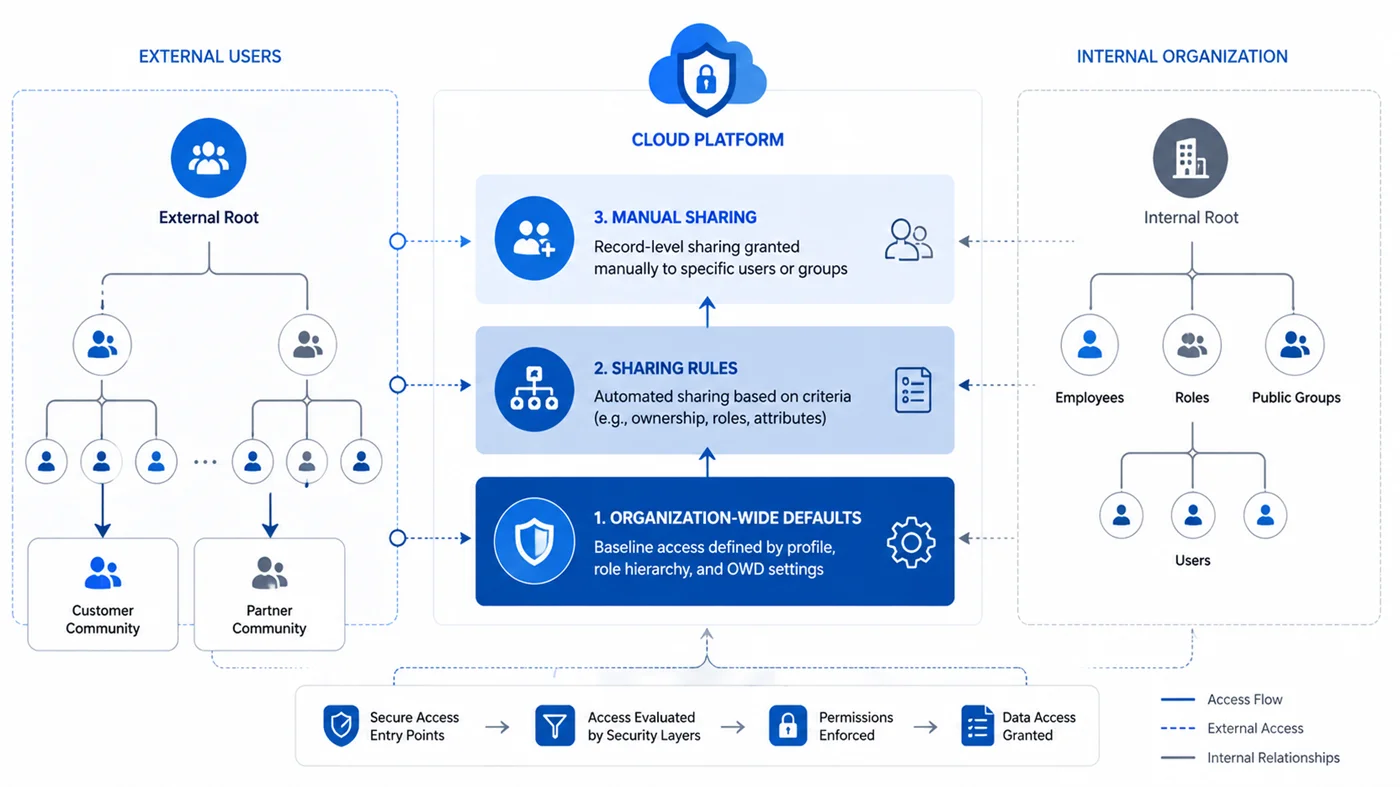
Understanding the Sharing Architecture in Experience Cloud
Experience Cloud sites operate within a unique security context that differs from internal Salesforce environments. The platform requires consultants to understand how organization-wide defaults, sharing rules, and manual sharing interact with external user licensing models. The exam tests your knowledge of how these mechanisms work together to create appropriate data visibility boundaries.
External users access Salesforce through specific license types, each carrying distinct sharing restrictions and permission limitations. Research indicates that external users cannot own records in the same way internal users can, which fundamentally affects how sharing calculations operate. The exam expects candidates to recognize these constraints when designing sharing strategies.
Key External User License Types:
- Customer Community: Basic access for customer portal users with limited permissions
- Customer Community Plus: Enhanced permissions including report and dashboard access
- Partner Community: Designed for business partners requiring broader object access
- External Apps: API-only access for programmatic integration scenarios
The Salesforce Experience Cloud Consultant exam preparation process should include hands-on practice with role hierarchies for external users. Unlike internal users who benefit from automatic upward sharing through the role hierarchy, external users exist in isolated hierarchies that prevent them from accessing records owned by users above them in the chain.
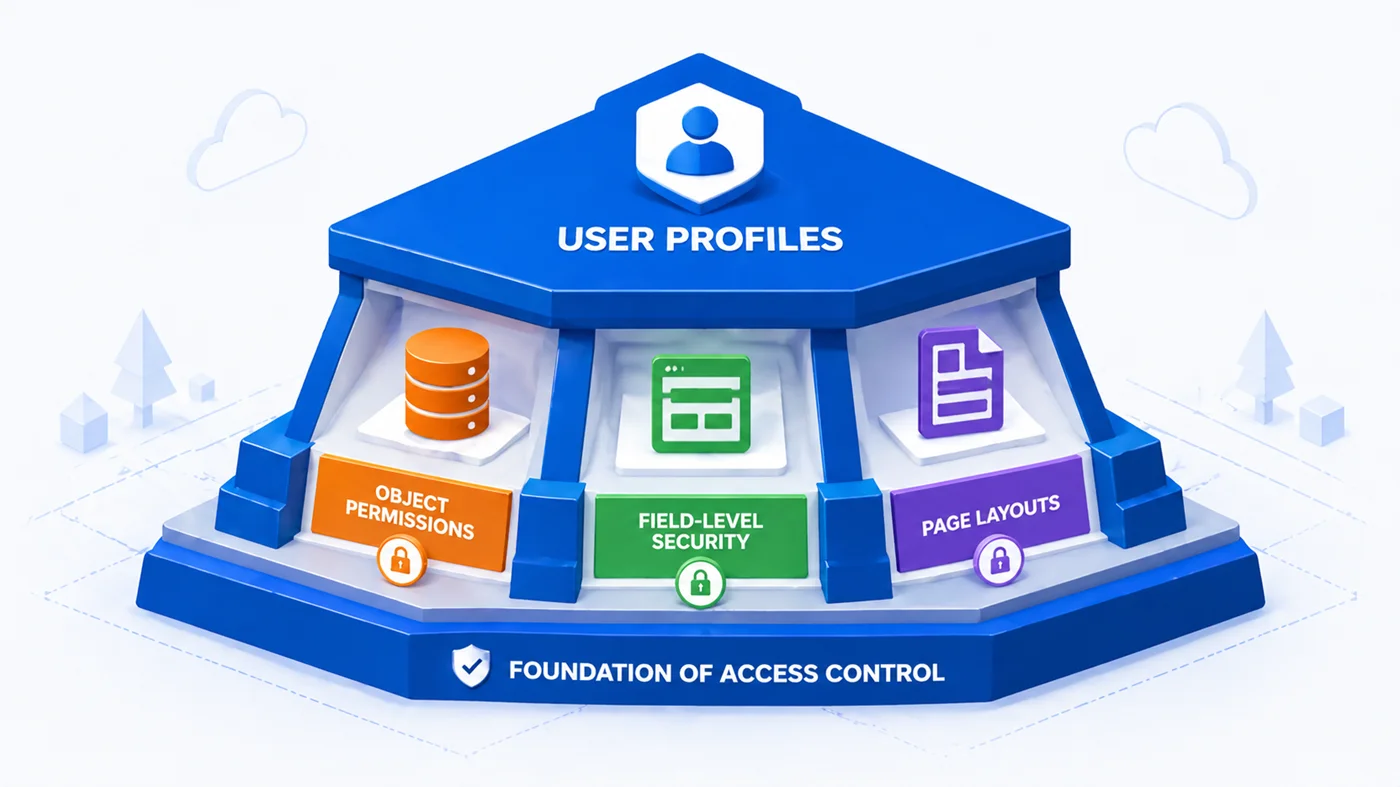
Profiles: The Foundation of User Access Control
Profiles serve as the baseline permission set for every user in Salesforce, including Experience Cloud members. The exam assesses your understanding of how to configure profiles that balance security requirements with functional needs. Standard profiles exist for common use cases, but most implementations require custom profiles tailored to specific business requirements.
When evaluating Salesforce Experience Cloud Consultant Practice Test Questions, pay attention to scenarios involving object-level permissions, field-level security, and page layout assignments within profiles. The exam frequently presents situations where candidates must determine the appropriate profile configuration to achieve desired access patterns while maintaining data security.
Profile Configuration Components:
| Component | Function | Impact on External Users |
| Object Permissions | Controls CRED operations | Limited by license type restrictions |
| Field-Level Security | Manages field visibility and editability | Can further restrict profile permissions |
| Page Layout Assignments | Determines record page structure | Controls user interface experience |
| Administrative Permissions | Grants setup and configuration access | Rarely applicable to external users |
| System Permissions | Enables platform features | Constrained by community license limits |
Profiles control several critical access dimensions. Object permissions determine whether users can create, read, edit, or delete records of specific object types. Field-level security settings within profiles control visibility and editability of individual fields. Understanding how these elements combine helps consultants design appropriate access models for different user populations.
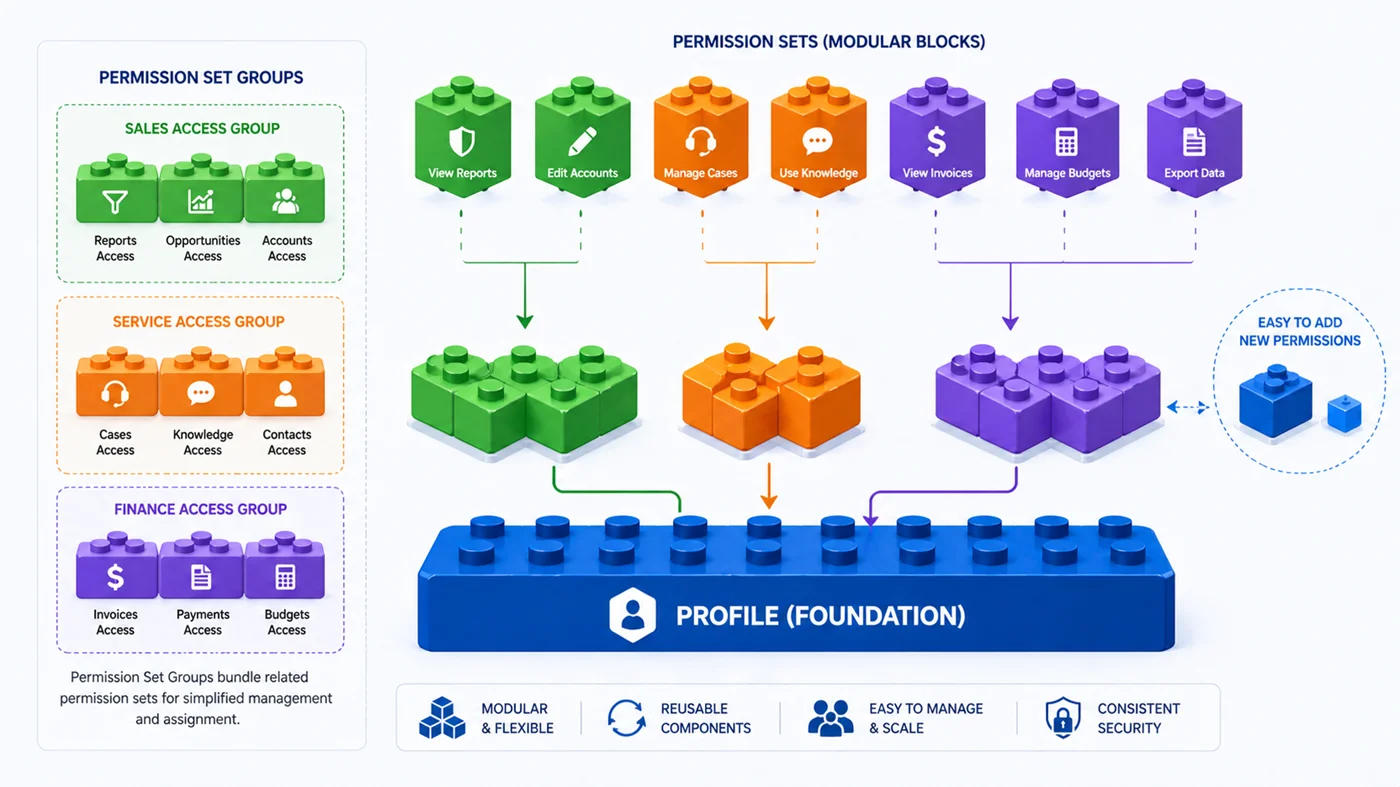
Permission Sets and Permission Set Groups: Extending Access Beyond Profiles
Permission sets provide additional permissions beyond what profiles grant. The exam tests your ability to use permission sets strategically to implement the principle of least privilege. Rather than creating numerous profiles for every permission combination, best practice involves using a minimal set of profiles supplemented by permission sets for specialized access needs.
Salesforce Experience Cloud Consultant preparation strategies should emphasize the differences between permission sets and profiles. While each user can have only one profile, they can be assigned multiple permission sets. This flexibility allows for more granular control and easier administration as organizational needs evolve.
Permission Set Best Practices:
- Grant incremental permissions for specific job functions or temporary projects
- Bundle related permissions into logical groupings for easier maintenance
- Use permission set groups to standardize access patterns across user cohorts
- Document the business justification for each permission set assignment
- Review permission set assignments quarterly to remove obsolete access
The exam presents scenarios where candidates must evaluate whether to use profiles or permission sets to grant specific permissions. Factors influencing this decision include the number of users requiring the permission, whether the permission represents baseline or exceptional access, and future maintenance considerations.
Profile vs. Permission Set Decision Matrix:
| Scenario | Recommended Approach | Rationale |
| All users need this access | Profile | Baseline requirement for user population |
| Only 5-10% need this access | Permission Set | Exception to standard access pattern |
| Access needed temporarily | Permission Set | Easier to assign and revoke |
| Access varies by department | Multiple Permission Sets | Flexible combination possibilities |
| Standard community user access | Profile | Foundational permissions for all users |
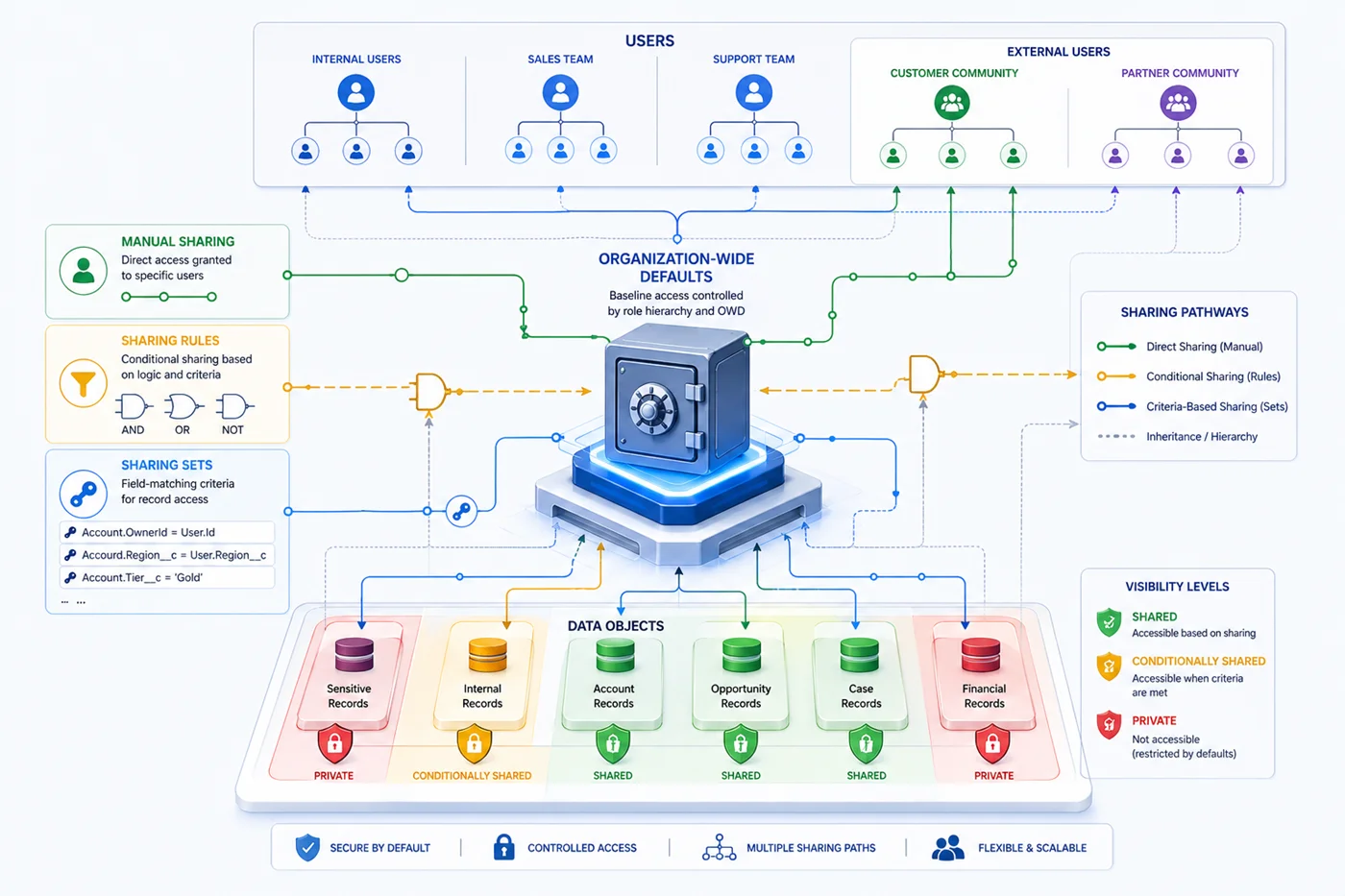
External Sharing Models and Visibility Settings
Organization-wide defaults establish the baseline visibility for records. For external users, these settings typically default to Private or Controlled by Parent, reflecting the security-first approach required for customer and partner portals. The exam evaluates your understanding of how to configure these settings appropriately for different objects and use cases.
Sharing sets represent a powerful mechanism specific to Experience Cloud implementations. These tools grant access to records based on field matching criteria rather than ownership or hierarchical relationships. Salesforce Experience Cloud Consultant exam preparation classes typically dedicate significant time to sharing set configuration patterns.
Common Sharing Set Patterns:
- Account access based on Contact-Account relationship matching
- Case visibility determined by related Account ownership
- Opportunity sharing through Partner Account associations
- Custom object access using lookup field criteria
- Asset visibility based on Account entitlement relationships
Sharing rules provide another method to extend access beyond organization-wide defaults. However, external users face restrictions on both criteria-based and ownership-based sharing rules. The exam tests whether candidates recognize these limitations and can design alternative approaches when sharing rules prove inadequate.
Organization-Wide Default Settings for External Users:
| Object | Common OWD Setting | Sharing Mechanism | Use Case |
| Account | Private | Sharing Sets | Customer portal access to own account |
| Contact | Controlled by Parent | Account sharing | Visibility follows account access |
| Case | Private | Sharing Sets or Rules | Support case management |
| Opportunity | Private | Manual or Sharing Sets | Partner deal registration |
| Custom Objects | Private | Context-dependent | Business-specific requirements |
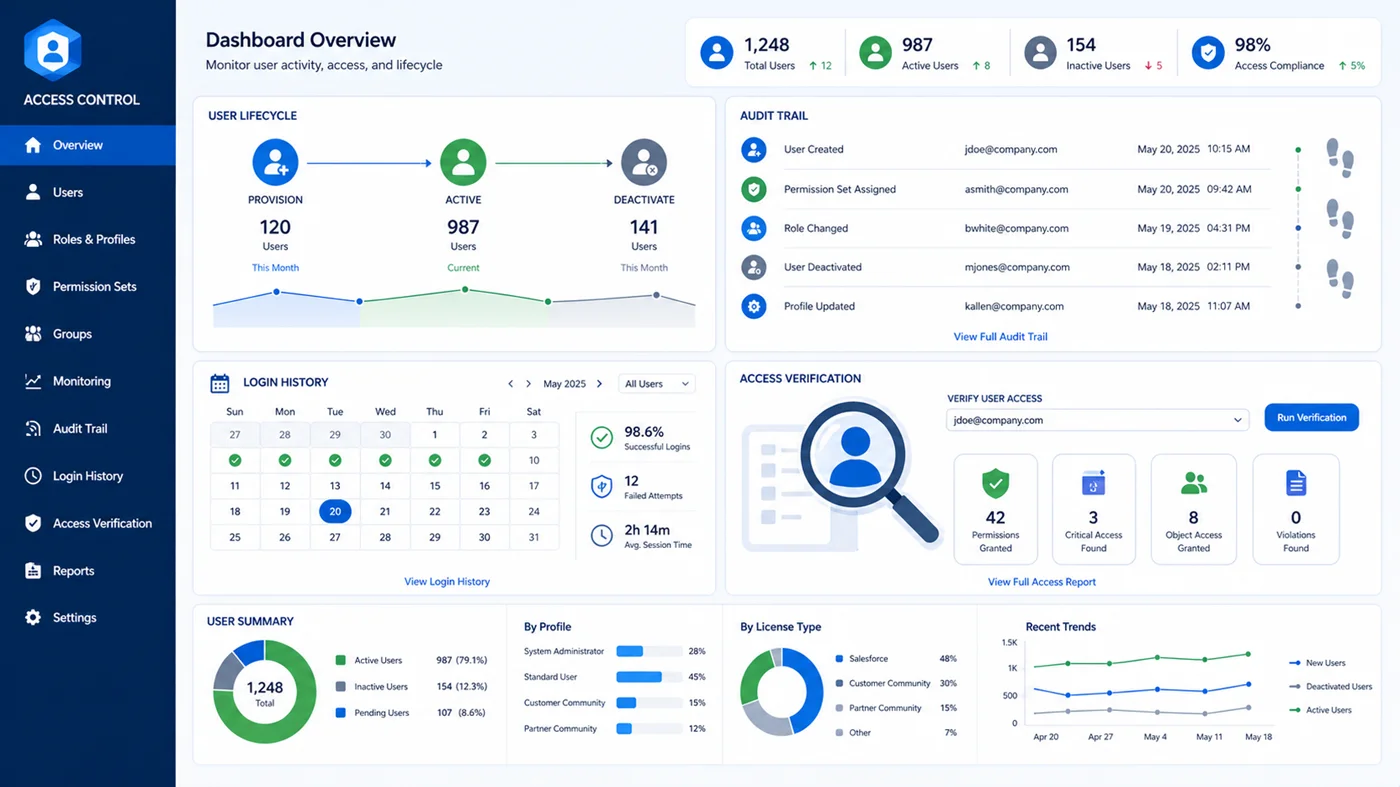
User Management and Access Monitoring
Proper user lifecycle management extends beyond initial provisioning. The exam assesses your knowledge of how to maintain user access as business relationships evolve. This includes understanding license assignment, activation and deactivation workflows, and the impact of freezing user accounts.
User Lifecycle Management Tasks:
- Provision new users with appropriate profiles and permission sets
- Adjust access when user roles or responsibilities change
- Deactivate users promptly when relationships terminate
- Monitor login history for security anomaly detection
- Audit field history to track data modification patterns
- Review setup audit trails for configuration change tracking
Salesforce provides several tools for monitoring and auditing user access within Experience Cloud sites. Login history, field history tracking, and setup audit trails all play roles in maintaining security and compliance. Candidates should understand how to leverage these tools to diagnose access issues and verify that permissions function as intended.
The exam may present troubleshooting scenarios where users report inability to access specific records or features. Effective diagnosis requires systematic evaluation of profiles, permission sets, sharing rules, sharing sets, and organization-wide defaults.
Access Troubleshooting Sequence:
- Verify user profile includes necessary object permissions
- Check field-level security settings for restricted fields
- Review organization-wide defaults for the affected object
- Examine sharing sets for applicable access criteria
- Evaluate sharing rules that might grant additional access
- Confirm permission set assignments and their included permissions
- Validate record ownership and related record access
- Test with different user personas to isolate the issue
Also Read:
Latest Updates in Salesforce Release Notes Impacting Certifications
How to Create a 30-Day Study Plan for Your Salesforce Exam?
The Future of Salesforce Certifications: Trends and Predictions